Upload when a file arrives
Open the period, add a file, confirm where it belongs, and leave. The common mobile path takes only a few taps.

Loading…
Checkflow gives each period one clear home for files, checklist items, and notes—so you can upload quickly during the month and close it without hunting.
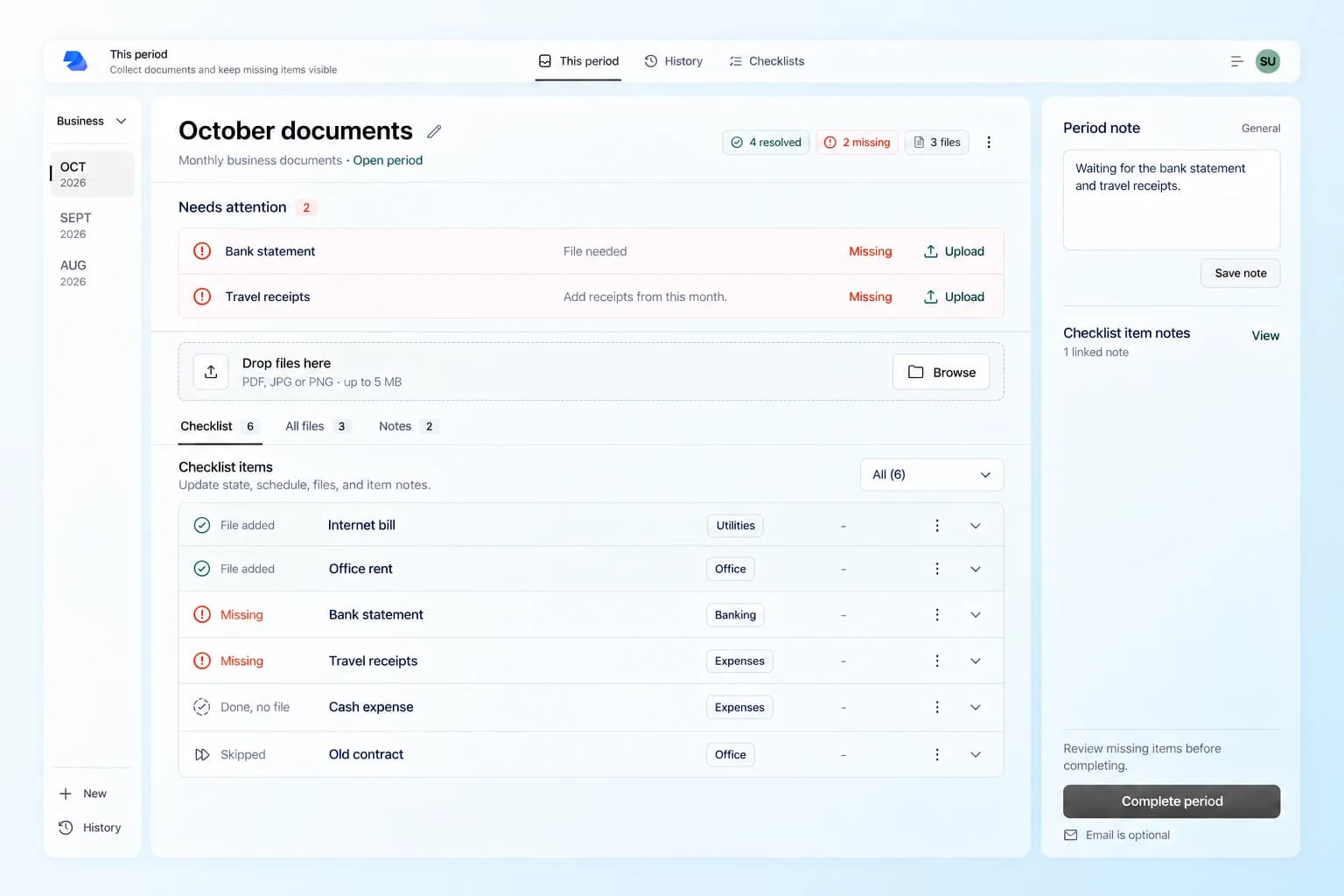
Designed for short visits, not another tool you manage all day.
Upload now. Add context later. The period keeps the current state for you.
Complete when ready. Share by email only when the hand-off needs it.
There is no project timeline to maintain. The open period is simply where the work lives until you complete it.
Open the period, add a file, confirm where it belongs, and leave. The common mobile path takes only a few taps.
Add a note, reassign a file, or resolve an item without a document. The current state is waiting when you come back.
See what is still missing, confirm completion, and keep the finished period in History. Sending by email remains optional.
The interface keeps the current files and unresolved work visible. Calendar, reminders, and email remain supporting tools instead of taking over the workflow.
Assigned and unassigned files live in one All files view, not inside hidden checklist rows.
A plain status summary shows what is ready, skipped, complete without a file, or still missing.
History keeps prior periods, files, final item states, and email activity together.
Complete without sending, or review recipients and selected attachments when a hand-off is useful.
Create a checklist, upload the files you already have, and let the missing items become visible. No large setup project required.
Start freeStart free with